

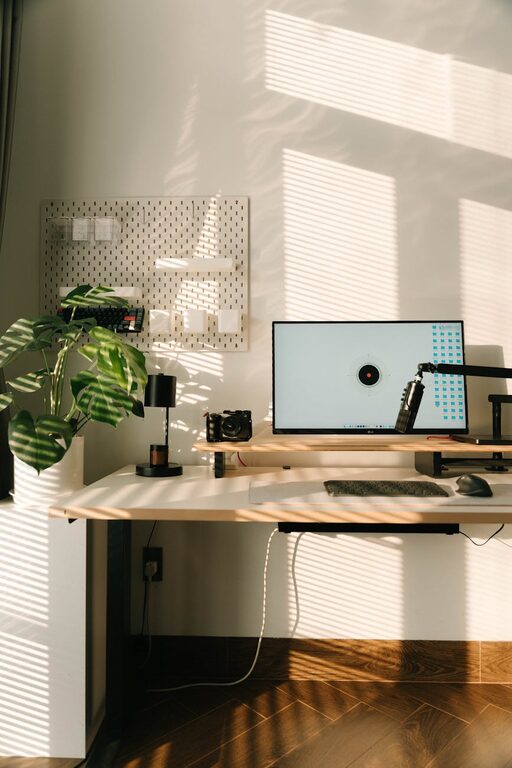
Creating an organized home workspace can significantly improve both your productivity and comfort while working. Whether you’re working remotely full-time, studying, or managing household tasks, an efficient setup helps reduce distractions and fatigue. This post offers simple, practical tips to help you organize your home workspace so you can enjoy a more productive and comfortable workday.
Choose the Right Location
One of the first steps in organizing your workspace is choosing the right spot at home. Look for a quiet area with good natural light, if possible. Avoid high-traffic zones like the kitchen or living room if they tend to be noisy or distracting. If space is limited, consider corners or underutilized nooks that can be transformed into your work zone.
Consider Lighting
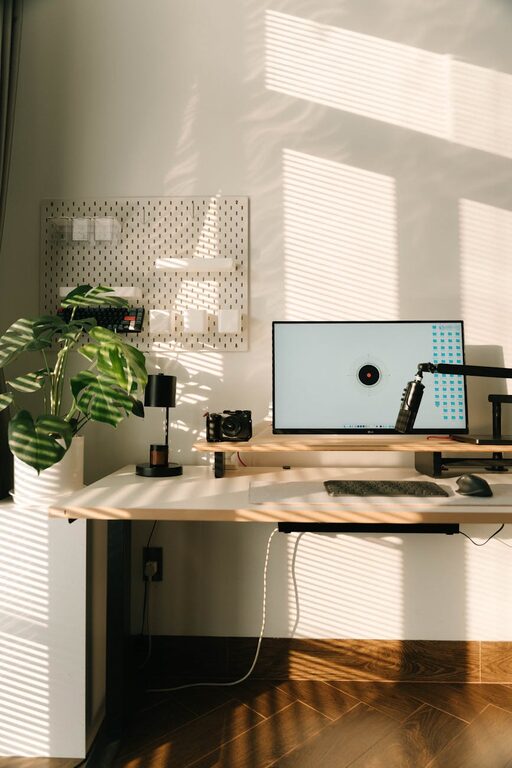
Good lighting is key to comfort and productivity. Ideally, set up near a window to get plenty of natural light. If natural light is limited, invest in a quality desk lamp with adjustable brightness. Proper lighting helps reduce eye strain and keeps you alert throughout your work sessions.
Keep Your Desk Clutter-Free
A cluttered workspace can lead to stress and loss of focus. Keeping your desk neat and organized is essential.
– Use desk organizers or trays to sort pens, paper, and other small items.
– Only keep essentials on your desk; store rarely used items elsewhere.
– Regularly tidy your desk at the end of each day to maintain a clean surface.
Invest in Comfortable Furniture
Comfort supports your ability to focus for longer periods.
– Choose an ergonomic chair that supports good posture.
– Use a desk at the right height for your chair and body.
– Consider accessories like a footrest or wrist support to reduce strain.
Organize Your Digital Workspace
Physical organization goes hand-in-hand with digital tidiness.
– Arrange desktop icons in folders by category.
– Use cloud storage to keep files organized and accessible.
– Maintain a system for email and task management to avoid digital clutter.
Personalize Your Space Thoughtfully
A few personal touches can make your workspace inviting and motivating.
– Add a plant for a touch of nature and improved air quality.
– Display a favorite photo or artwork for inspiration.
– Use colors and décor that calm and energize you without being distracting.
Manage Cables and Electronics
Tangled cords and messy electronics can add unnecessary stress.
– Use cable organizers or clips to keep cords neat and out of the way.
– Position chargers and devices within easy reach.
– Regularly unplug devices not in use to reduce clutter and save energy.
Create Zones for Different Tasks
If space allows, separate your workspace into zones for different activities.
– One area for computer work.
– A zone for paperwork or creative tasks.
– A storage zone for supplies and reference materials.
This separation can help your brain switch gears and remain focused.
Set Up Storage Solutions
Smart storage helps keep everything in its place.
– Use shelves, filing cabinets, or drawers to store documents and supplies.
– Label storage containers for easy identification.
– Regularly declutter and archive old materials to free up space.
Maintain a Consistent Routine
Organizing your workspace is just the start—keeping it organized requires regular habits.
– Schedule a quick clean-up break each day.
– Review your workspace setup periodically and adjust as needed.
– Stay mindful of your posture and comfort throughout the day.
—
By applying these simple tips to organize your home workspace, you create an environment that supports productivity and comfort. Remember, a well-planned workspace is an investment in your well-being and work success, making every day a little easier and more enjoyable.